Routings for detours are now showing on realtime.londontransit.ca so you can now track where your detour will go off the designated route.
When a route is on detour it will show a red dashed line off of the solid coloured line which indicates the regular routing. To have your route show select the route and direction from the menu on the right-hand side of the screen. The route map will appear, if there is a red dashed line on the map your route is on detour and showing the path the bus will take. If you see a dashed line, as shown in the image below, you can continue to click on the orange triangle to get written information describing the detour routing.
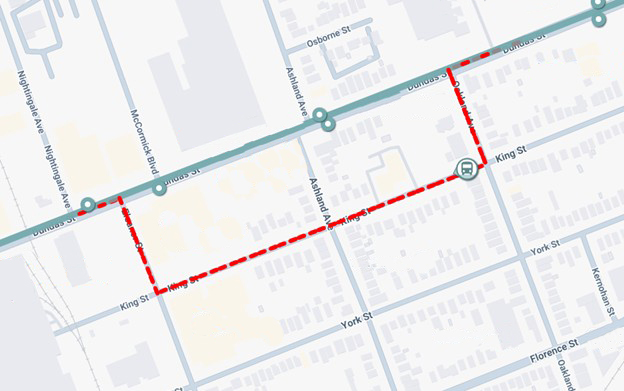
The solid coloured lines indicate the regular path of travel on the route will remain visible on the map when the detour is in place, but the dashed line will show the temporary path the bus will follow during the road closure. At this time, temporary stop locations will not show on the map, however this information is available when clicking on the orange triangle button to get more information on the detour.
Once the detour is no longer in place, the red dashed lines will disappear from the map and only the solid regular routing lines will remain, meaning your route is back on regular routing.
Be sure to stay up to date on all detours, stop closures and other service impacts for the routes and stops you use most by signing up for email alerts to be sent directly to your inbox – sign up today!
Should you have any questions with regards to the detour paths on real-time, please contact our Customer Service Representatives at ltc@londontransit.ca or 519-451-1347.